For apps built with Lovable
Your Lovable app, in plain English. And Lovable can read it too.
See what your users actually do: every sign-up, booking and failed action becomes one plain sentence, with who did it and why. No tech skills needed. Lovable reads the same story, so you can ask it “how are my users doing?” and it answers from what really happened, then helps you fix and improve your app.
Free in beta · No card · A few minutes to set up · Open source · Read-only
What you see
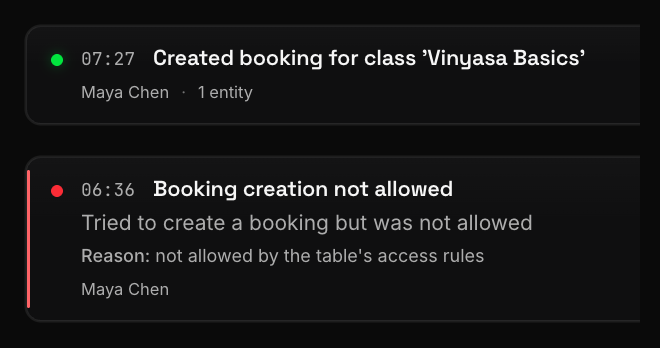
Every action in your app, as a sentence anyone can read. For example, Maya tried to book a class and her screen said her session had ended. EZLogs showed what really happened: the database had refused her booking. After the fix, her next booking went through:
What it records:
- Sign-ups, email confirmations and sign-ins.
- Every change to your data, with who made it: a booking created, a status moved from “doing” to “done”, a record deleted, each value before and after.
- Files people upload, replace and delete (the name and size, never the file itself).
- What failed for people, with the reason: a save the database refused, a wrong password, a file too large, a password too weak. And sign-outs. (These two come from step 2 below.)
- Names of what already exists, once, when you connect: the id and name of the things your records point to (the class a booking is for), so every sentence names them. Never tables tied to sign-in accounts or named like people (members, customers).
What it doesn’t: a click that changes nothing. Page views are a switch you can turn on per app, only for signed-in people.
Ask Lovable how your users are doing
Connect EZLogs in Lovable once: Connectors → Add custom → MCP server, paste https://app.ezlogs.io/mcp, leave sign-in set to OAuth, then Add & authorize. Lovable can then read what happened in your app, and you can just ask it:
“How are my users doing? Tell me who signed up, what they booked, and where anyone got stuck.”
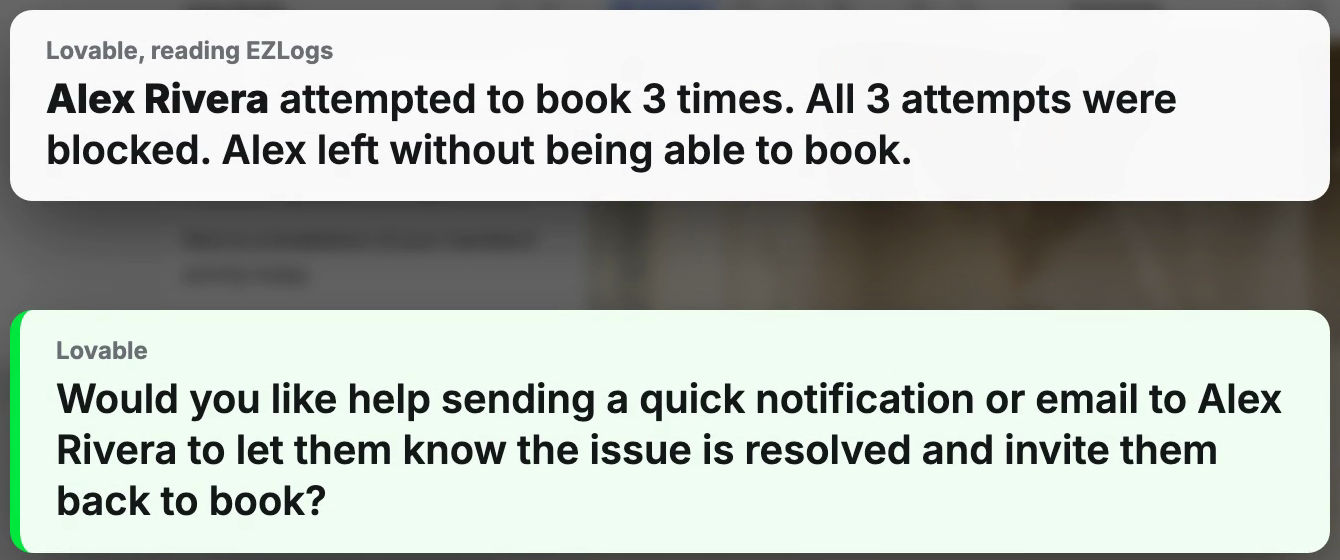
In the demo, Lovable read EZLogs and told me who signed up and what they booked, found who got stuck, and noticed one user never came back. Then it offered to invite him back:
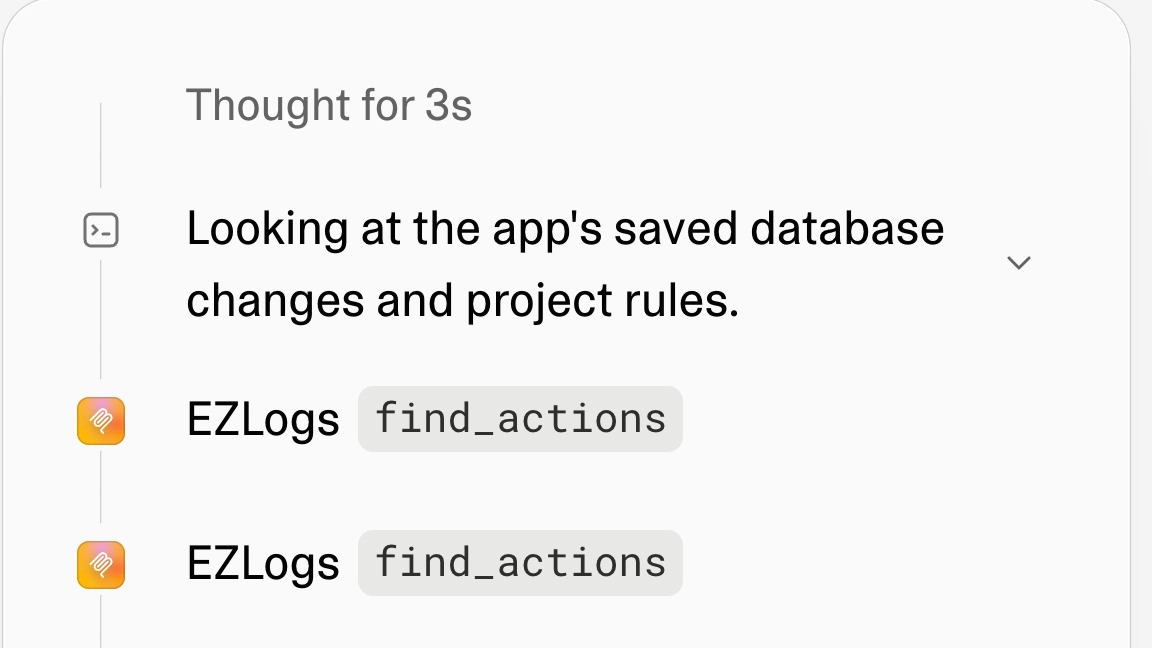
It also fixes the real cause when something breaks. Asked “What went wrong for my users today? Fix it.”, it looked up what happened in EZLogs, found the broken booking rule and fixed it: “Members can book classes again, but still can’t book for someone else.” EZLogs only answers questions: it never changes your app.
What this unlocks
Lovable built your app, and now it can see how people actually use it: the whole activity log, every sign-up, booking and failed action, with who did it and why. So you can work with it on your users, not only on your code. For example, ask:
- “Who signed up this week, and what did they do first?”
- “Which actions failed today, and why?”
- “Did anyone get stuck at sign-up or checkout?”
- “Based on what my users actually do, what should I improve next?”
Lovable answers from what really happened, then you decide what to build or fix.
Hear about it first
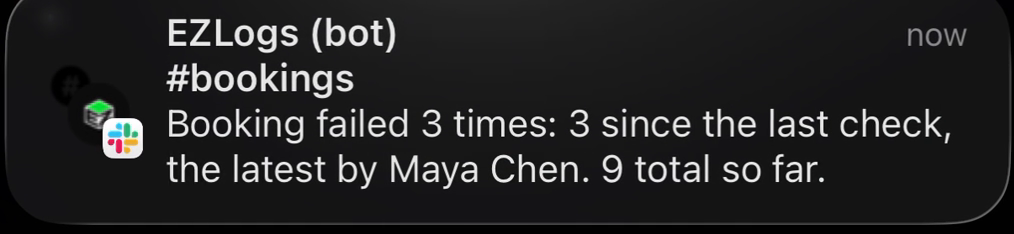
Pin a question once, in plain words: “tell me when a booking fails”. Set to “as it happens”, EZLogs checks it every 5 minutes and tells you in Slack or by email, with the same words and link as the alert in EZLogs. Alerts only inform: they never change anything in your app.
Set it up in 3 steps
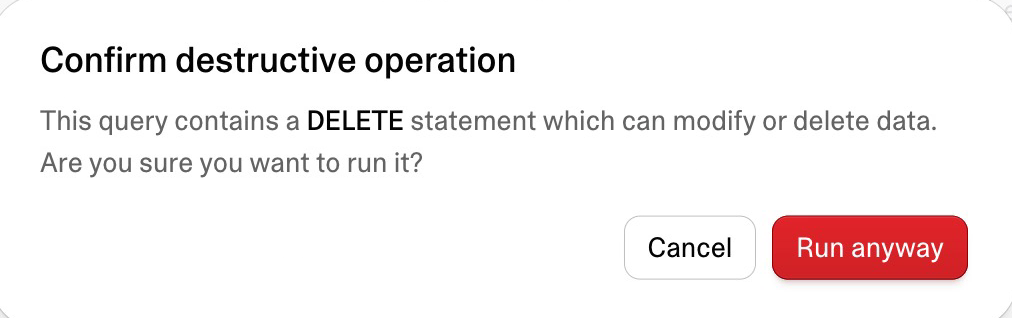
- Paste the install code into your SQL editor. Sign up, open Install & keys (the menu behind your initials, top right), choose Lovable · Bolt · v0 under Install EZLogs, and click Create install code. In Lovable: More → Database → Manage → SQL editor, paste, Run. Lovable will warn that it contains a DELETE: every delete in it removes only EZLogs’ own data, never yours, so click Run anyway. Not sure? Ask Lovable’s chat whether it’s safe, leaving out the line with your key (
ezldb_…). - Paste the prompt from the same page into Lovable’s chat, then publish. It adds small open-source packages that report the calls that fail in your users’ browsers (and link your server code, if your app has any, to the click that started it), plus a small database change so EZLogs can show your records by name. One Lovable message, about 2 to 3 credits.
- Connect EZLogs in Lovable (Connectors → Add custom → MCP server, as above), so Lovable can read what happened. Optional: steps 1 and 2 already record everything.
Then use your app: sign-ups and changes appear in your Timeline within seconds. Building several apps? Add each one on the same settings page; every app gets its own code and prompt.
To remove it: run select ezlogs.uninstall(); in the SQL editor, then ask Lovable to remove everything the EZLogs section of AGENTS.md lists (the @ezlogs packages and the files they added), and that section itself. Last, revoke the app’s keys in EZLogs (Install & keys).
One person’s problem, not a chart
Analytics counts people: “120 people opened the booking page”. EZLogs explains one person’s problem: “Maya tried to book a class at 6:36 and the database refused it”. It comes from your database, not from guesses. Many teams use both.
What it never does
- Never changes your data. The install adds its own
ezlogsschema and triggers and never changes your rows. EZLogs itself never connects to your app or your database; it only receives what your database and the browser package send. - Never breaks your app. Each change adds one small write inside your database and can never make a save fail. If EZLogs can’t be reached, your app works the same and changes wait in your database (up to 7 days, within a size limit) until they can be sent. Nothing runs while your app is idle.
- No passwords or login tokens. Columns named like passwords, tokens, secrets, API keys or card numbers never leave your database. The browser package never sends a login token, a password or what someone typed; for a failed sign-in, sign-up, sign-in link or password reset it sends the email that was tried, so you see which account it was. Names and emails are sent, so you can see who had the problem.
- Your data stays in the EU. Stored in Helsinki (Hetzner), activity kept 90 days during the beta, encrypted backups in the Netherlands (EU). Privacy policy · DPA · Subprocessors
- Open source. You, or Lovable, can read every line first: the database install and the browser package.
Questions
Is it safe to paste this into my live database?
It’s open source, adds its own ezlogs schema and triggers (and turns on two standard Supabase extensions, pg_net and pg_cron), never changes your rows and can’t make a save fail; one line removes it from your database. You can try it on a test project first, or ask Lovable’s chat to check it.
Why does Lovable warn “contains a DELETE”?
Every delete in the install removes only EZLogs’ own data (its own tables, the history of its own scheduled job, and its key when you uninstall), never yours. Click Run anyway.
What exactly leaves my database?
For each change: the table, the values before and after, and who made it. Columns named like passwords, tokens, secrets, API keys or card numbers never leave. From the browser, a failed sign-in sends the email that was tried, never the password. You can leave out any table with select ezlogs.untrack('table');.
Where is it stored, and for how long?
In the EU (Helsinki, Finland), with encrypted backups in the Netherlands (EU). Activity is kept 90 days during the beta. The names of your existing records, sent once when you connect, are kept until you delete your account, so later actions can name them.
Do I need to mention it in my privacy policy?
Yes, as a service that processes your users’ data on your behalf. Our DPA is here.
When I connect Lovable, what can it see?
The same sentences you see in EZLogs, through a read-only connection you approve once. They include your users’ names and emails, and Lovable’s AI reads them to answer you.
Does it use Lovable credits?
The prompt in step 2 is one Lovable message, about 2 to 3 credits (measured November 2026; on the free plan, do it on a day you haven’t built much). The SQL install runs in the SQL editor, not in Lovable’s chat. Asking Lovable about what happened is a normal chat message.
Does it slow my app down?
Each change adds one small write inside your database. Sending happens later, in the background, and never inside your user’s save.
What happens after the beta?
It’s free during the beta. We’ll email you at least 30 days before any price or limit changes, and nothing is charged unless you choose a plan.
What if EZLogs goes down?
Your app never notices. Changes wait in your database (up to 7 days, within a size limit) and are sent when EZLogs is back.
I built my app with Bolt or v0. Does it work?
Yes, if the app runs on Supabase: the same install runs in the Supabase SQL editor. The steps for Bolt and v0 are here.
Is the voice in the video AI?
Yes: an AI copy of the founder’s own voice, reading the founder’s script.